
Your cases, sessions and deadlines in one place, shared with your team on the permissions you set. No scattered spreadsheets, no conflicting copies.
From ordering the day, to sharing with the team, to producing the reports.
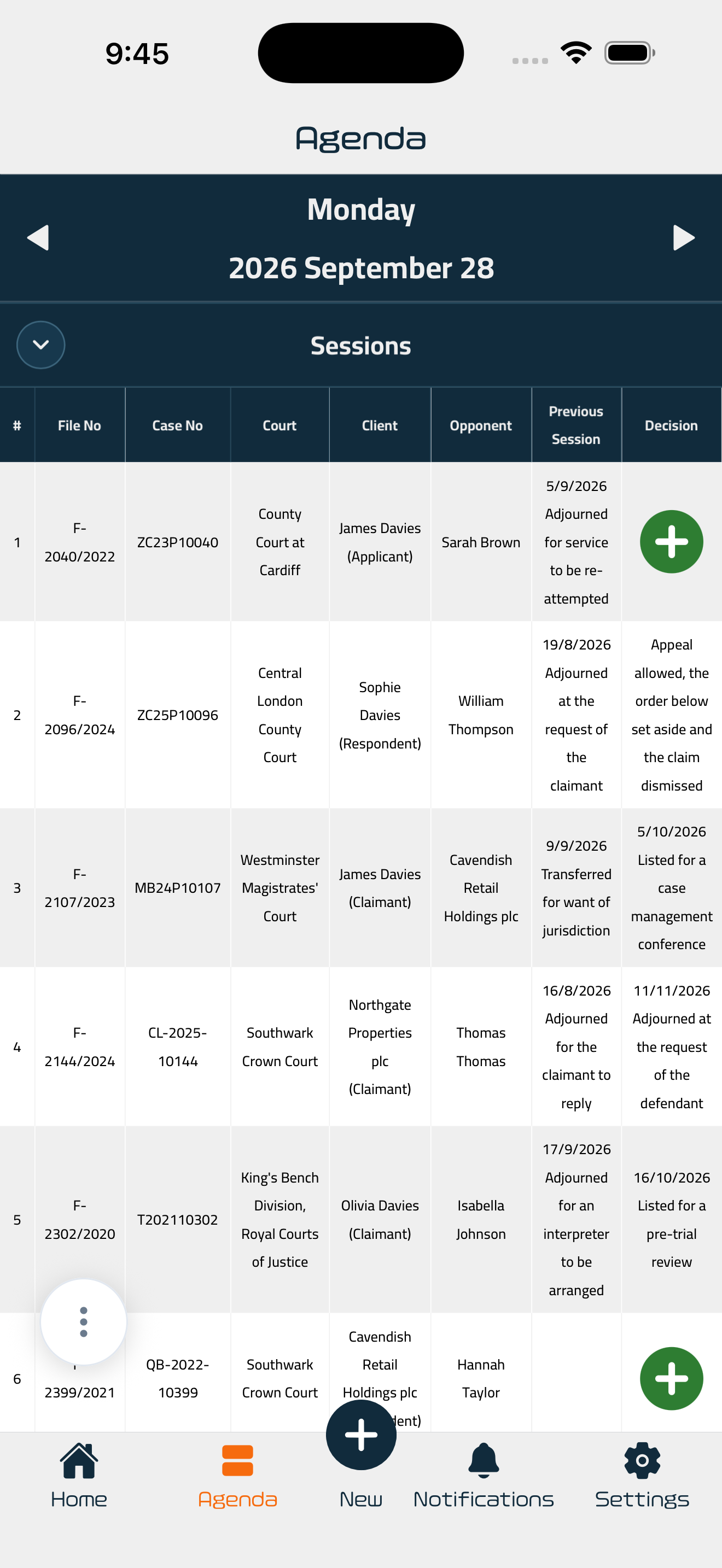
Each session appears on its own date, in front of everyone you have shared the account with. You open the app to the day itself, not to a search box.
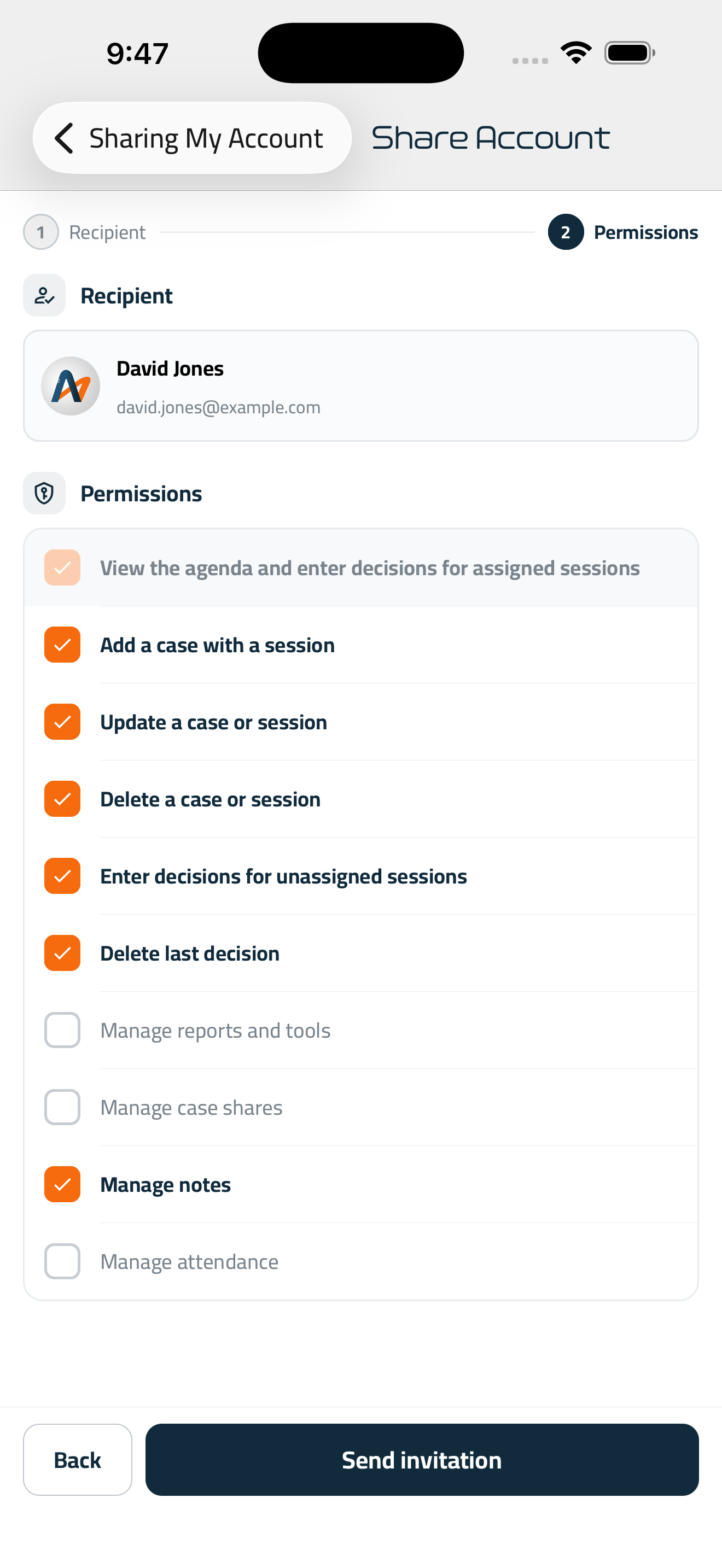
Add a colleague to the account and set what they may do: enter a case, record a decision, delete the last one, manage notes. Nine permissions, each granted or withheld on its own and revoked whenever you choose.
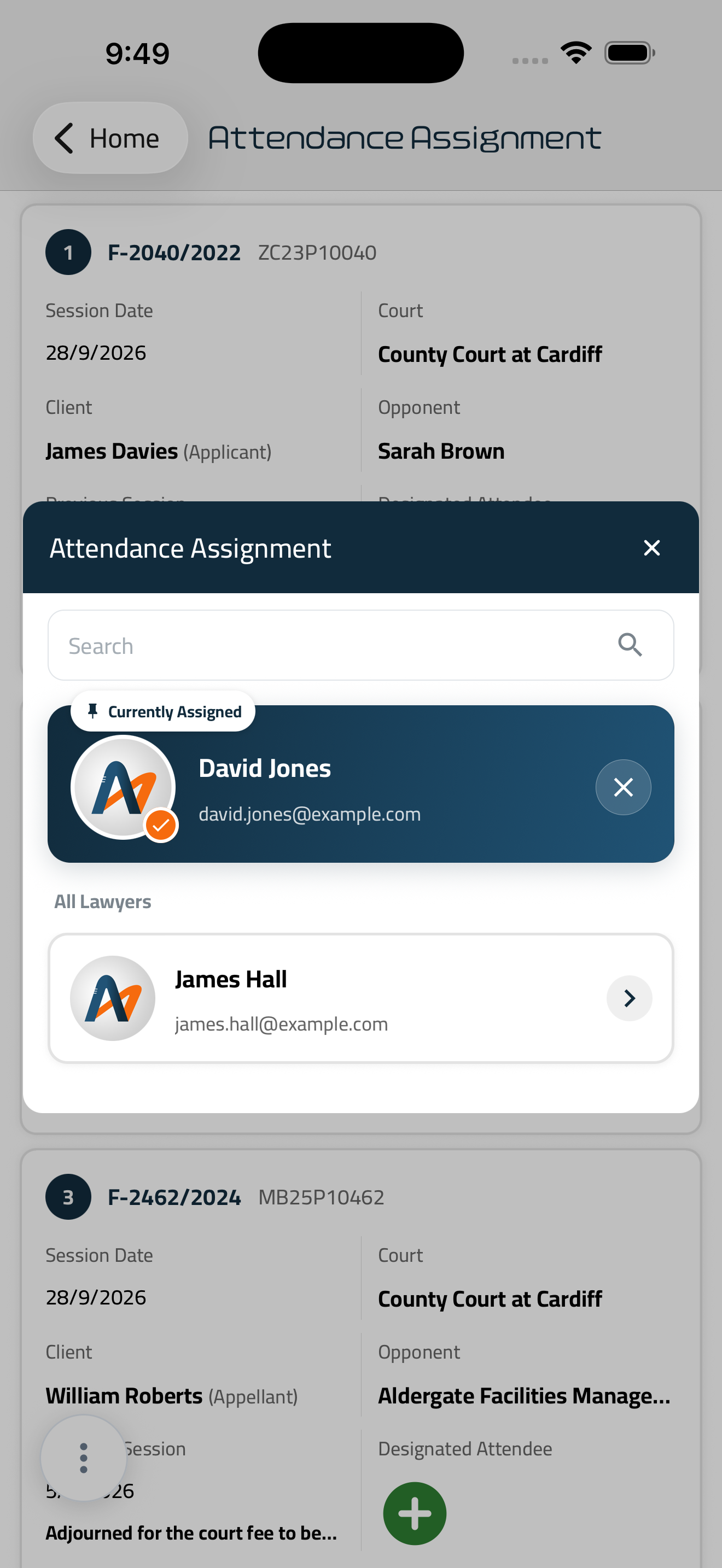
Assign each session to a lawyer in the office. Everyone sees what falls to them, and nothing is missed because each assumed someone else was going.
Notice on the evening before a session, and again as a deadline approaches. Nothing depends on somebody thinking to check.
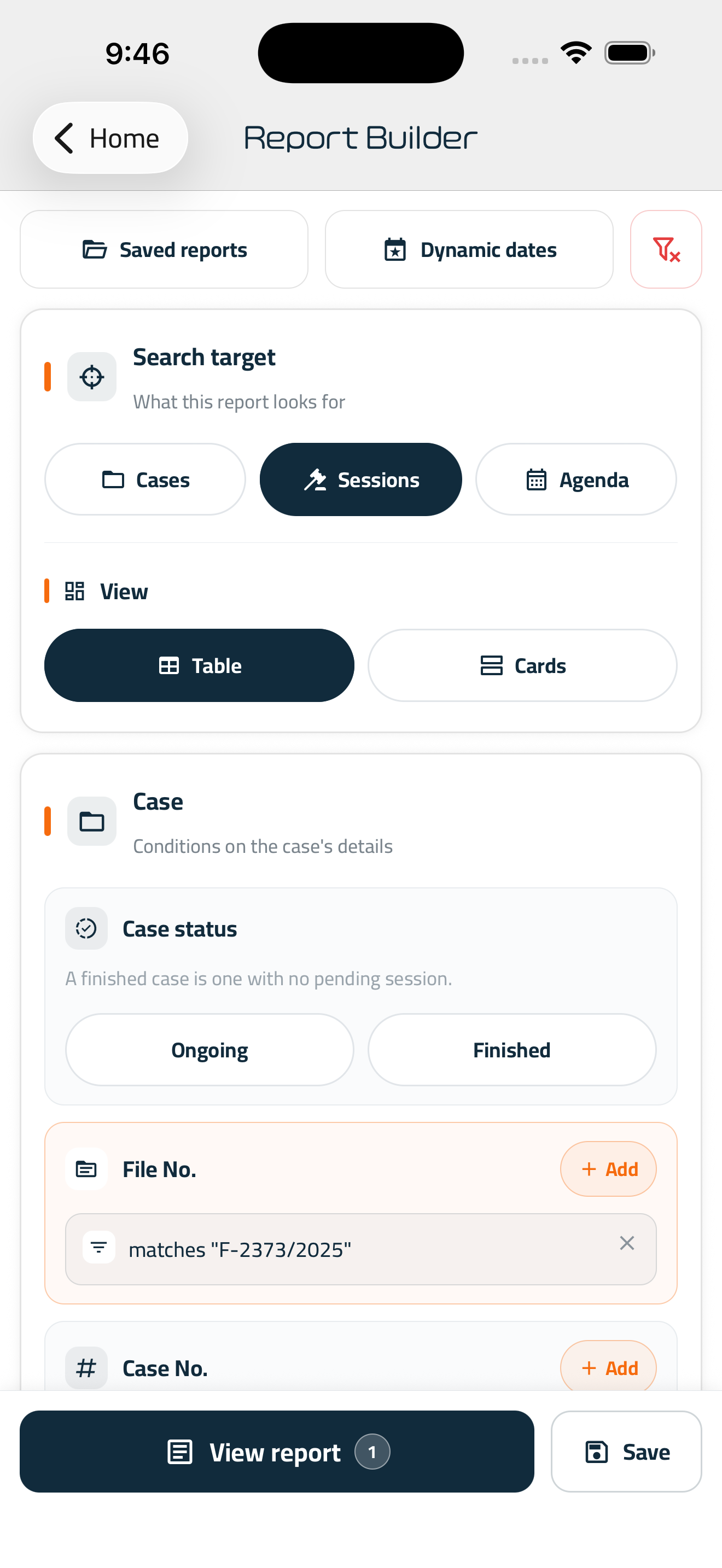
Filter to what you need: cases, sessions or a full agenda. Then open, save, print or share the result as it stands.
iOS, Android and Windows. Enter a session at the office desk and it is on your phone at the courthouse, with nothing to copy across or send.
Three of the screens a practice works from.
A first case takes a few minutes to enter. Everything after it follows on.
File number, court, client, opponent — and the session that comes next.
Share the account with your colleagues and set what each of them may do.
It reminds you the evening before a session, and again before a deadline closes.
Install it, enter your first case, and let it keep the calendar from there.



قضاياك وجلساتك ومواعيدك في مكان واحد، يشاركك فيه فريقك بالصلاحيات التي تحدّدها. بلا جداول متفرّقة ولا نسخ متضاربة.
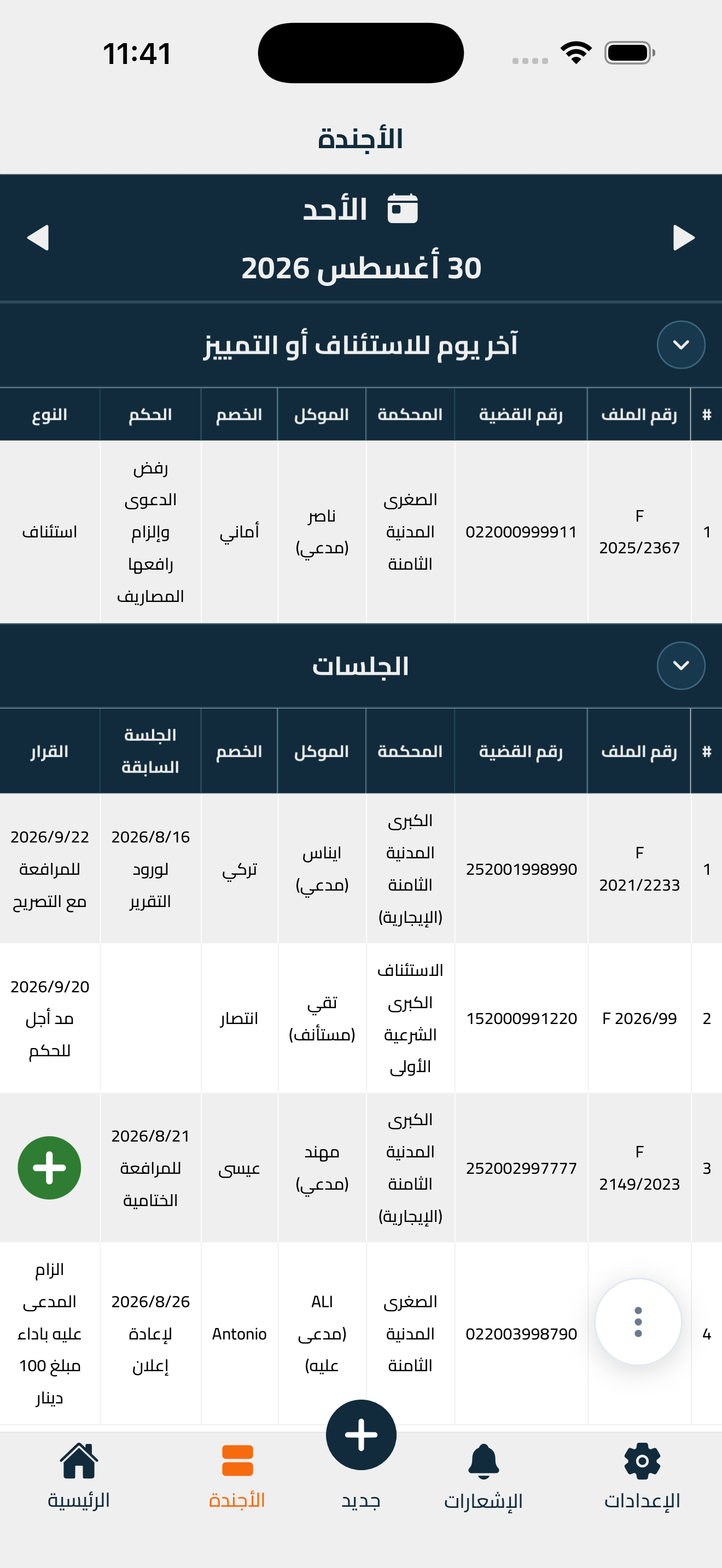
من ترتيب اليوم، إلى مشاركة الفريق، إلى إخراج التقارير.
تظهر كل جلسة في تاريخها، أمام كل من شاركته الحساب. تفتح التطبيق فتجد يومك جاهزًا، لا حقل بحث تبدأ منه.
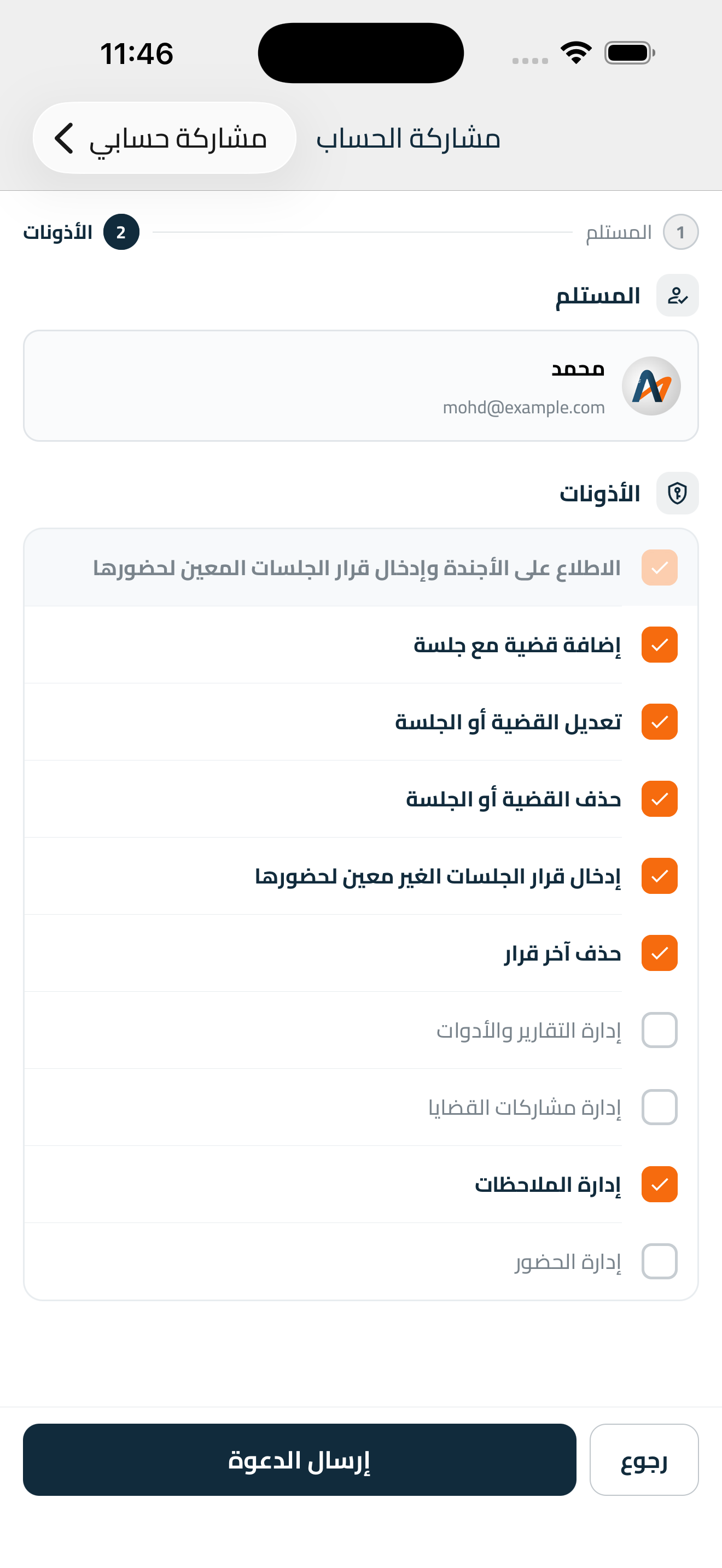
أضِف زميلك إلى الحساب وحدّد ما له أن يفعله: إدخال قضية، أو تسجيل قرار، أو حذف آخر قرار، أو إدارة الملاحظات. تسع صلاحيات، تمنح كلّ واحدة منها أو تمنعها على حدة، وتسحبها متى شئت.
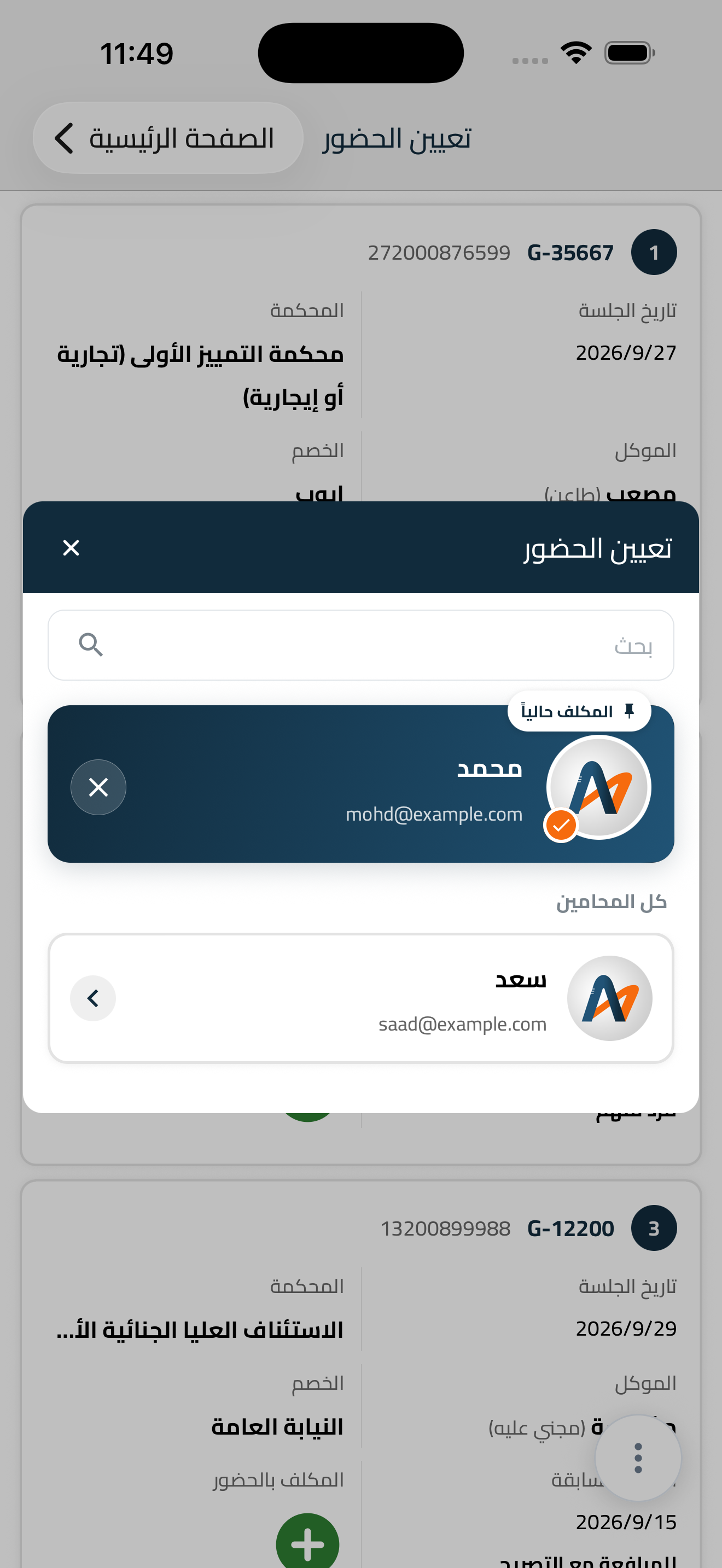
عيّن لكل جلسة محاميًا من المكتب، فيرى كلٌّ ما أُسند إليه، ولا تضيع جلسة لأن كلًّا ظنّ أن غيره سيحضرها.
إشعار مساء اليوم السابق للجلسة، وآخر مع اقتراب الميعاد. فلا يتوقّف شيء على أن يتذكّر أحدٌ أن ينظر.
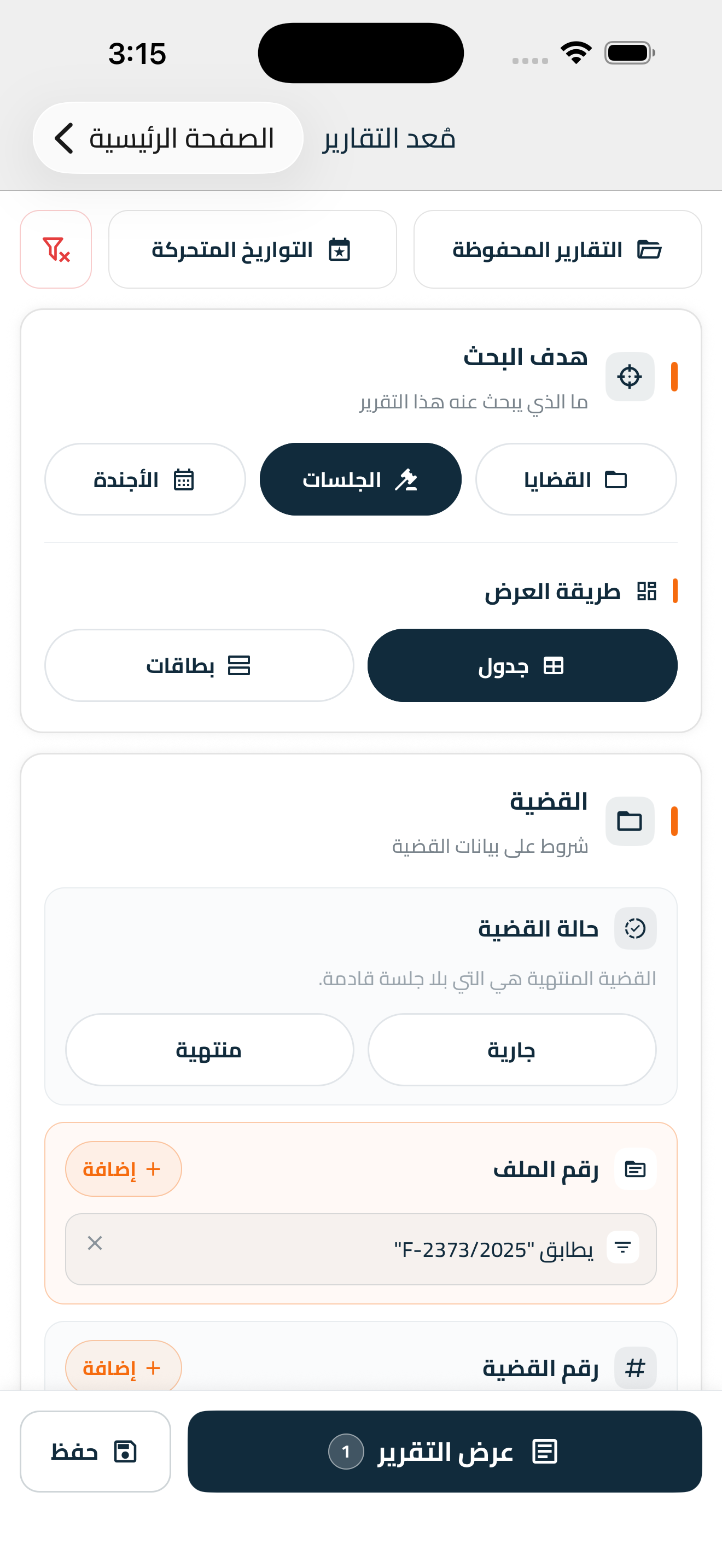
اضبط شروط البحث على ما تريد: قضايا أو جلسات أو أجندة كاملة، ثمّ افتح الناتج أو احفظه أو اطبعه أو شاركه كما هو.
iOS وأندرويد وويندوز. تُدخل الجلسة من جهاز المكتب فتجدها على جوالك في المحكمة، بلا نقل ولا إرسال.
ثلاث من الشاشات التي يعمل عليها المكتب.
إدخال القضية الأولى لا يستغرق إلا دقائق، وما بعده يمضي تبعًا لها.
رقم الملف والمحكمة والموكّل والخصم، ثمّ الجلسة القادمة.
شارك الحساب مع زملائك، وحدّد لكلّ واحد منهم ما له أن يفعله.
يذكّرك مساء اليوم السابق للجلسة، ومرّة أخرى قبل أن يضيق الميعاد.
ثبّته، وأدخِل قضيتك الأولى، ودَعه يتولّى التقويم بعد ذلك.